
Download Ghost Spectre Windows 10 Superlite Edition

Ghost Spectre Windows 10 Superlite Edition
Tired of those bothersome Windows 10 updates? I believe the answer is yes. Don't worry, most of us are fed up with it.
In this post, we'll show you an excellent Windows build called Ghost Spectre Windows 10 Superlite Version, in which many unneeded features have been removed so that any PC may use Windows 10 without worrying about updates, RAM limitations, or an outdated HDD with restricted performance.
The Ghost Spectre developer community/group is working hard to deliver the latest upgrades; however, it is up to you whether or not to update.
Disclaimer: We do not own any of the files; we are using them from the internet. This essay is intended solely for educational purposes. Do not invade anyone's privacy without their consent. We cannot be held accountable for any losses.
What is the Ghost Spectre Windows 10 Superlite version?
Ghost Spectre Windows 10 Superlite is a modified version of the original Windows. Here, "modded" refers not just to more features, but also to reduced useful features for the average user.
A group of developers is releasing a variety of Windows 10 tweaks that remove a slew of useless features that took up additional memory and space, causing low-end PCs to malfunction.
Features of Ghost Spectre Windows 10 SuperLite
Compact Integrated + LZX (algorithm).
Forced .NET Framework 4.0/4.5/4.6/4.7/4.8
Bloatware is free!!
Optimized pagefile/services/scheduled/search indexer.
Privacy Enhancements and Performance Mode!
Ghost Toolbox! (Add or Remove Windows Store, and Much More!)
Cortana is removed (it may be added back using Ghost Toolbox for WIN10 version 2004/2009).
Support for other languages and keyboards.
Support UWP games/UWP apps (e.g., Forza, GoW, etc.)
Stock drivers are not removed.
Ghost Custom Bootable with more features! 2004 Ghost Dark Purple Version 2 Themes!
GHOST DARK (Beta test other dark themes)
Updateable (can upgrade to the most recent release of Windows 10 version 2009/2004)
Windows upgrades can be halted until 2030.
Screenshots
To see the entire image, tap on it.
Download Ghost Spectre Windows 10 SuperLite Version.
Windows 10 AIO Version (22H2, 21H2, 21H1, 20H2, 20H1) (Stable Release) 64-bit
Edition: Superlite, Compact, Without Defender.
Build number: 1904X.6811.
Architecture: x64.
Language: en-US.
Size: 5.48 gigabytes
MD5 (ISO): 7a96a86d56205b67e8a75a7d27f76ec9.
Downloads:
Please use an ad blocker after accessing these download mirrors (at least Mirror 3) to ensure a seamless experience.
Password (if applicable): aiou34
Last updated on: January 27, 2026.
Extract Tools: 7zip, WinRAR
Download Tools: Browser, IDM, and JDownloader 2.
Changelog
01/27/2026 - AIO Version Update 34
Update to OS Build 1904X.6811.
Update the .NET Framework.
Update Windows Recovery.
Update the bootable driver (ISO).
12/24/2025 - AIO Version Update 33
Update to OS Build 1904X.6693.
Update the .NET Framework.
Update Windows Recovery.
Update the bootable driver (ISO).
Added Home Edition.
10/26/2025—AIO Version Update 32-2 [Final Release
Update to OS Build 1904X.6456.
Update the .NET Framework.
Update Windows Recovery.
Update the bootable driver (ISO).
Fixed DEF.
Fixed Windows Setup
9/14/2025—AIO VERSION UPDATE 31
Update to OS Build 1904X.6332.
Update the .NET Framework.
Update the bootable driver (ISO).
08/29/2025—AIO UPDATE 30-4
Update to OS Build 1904X.6218.
Update the .NET Framework.
Update SE's Start Menu.
Update the bootable driver (ISO).
ISO based on the official 22H2 August update release (consumer).
Fixed minor bugs.
Having difficulties extracting the ISO file? Check out this GIF.
21H1 (2009, Stable Release) 32-Bit
Edition: Superlite, Compact, Without Defender.
Build: 19043.1021.
Architecture: x86.
Language: en-US.
Size: 2.47 gigabytes
Downloads:
Changelog
05/23/2021
ISO based on Public Version.
Update OSbuild: 19043.1021.
First release x86
20H2 (2009) 64-Bit
Edition: Superlite, Compact, Without Defender.
Build: 19042.685.
Architecture: x64.
Language: en-US.
Size: 2.63 gigabytes
Downloads:
Changelog
Update 2 - 27 December 20
Update to OS build 19042.685.
Added Superlite Special Edition.
20 Nov '20
The first version was released in 2009.
2004
Edition: Superlite, Compact, Defender. sions.
Build: 19041.630.
Architecture: x64.
Language: en-US.
Downloads:
Changelog
Update 8 - 26 November '2
Update to OS build 19041.630.
Update 7-10 September 20
Update: OSbuild19041.508-GHOSTSPECTRE - DARK LIGHT PURPLE V2 (default themes)
Fixed Component Store Corruption.
CBSVC SET TO > 3 (SUPERLITE).
Startup Delay SET TO >0
Pause Windows Update until 2050 for the Compact version.
| Update Microsoft Defender
| Security intelligence version: 1.323.819.0
| Antimalware Client version: 4.18.119096
| Engine Version: 1.1.17400.5
| Antivirus Version: 1.323.819.0
| Antispyware version: 1.323.819.0.
Install the Ghost Spectre Windows 10 SuperLite Version.
There is nothing new when you install Ghost Spectre Windows 10 Superlite Version on your PC. If you're familiar with the standard clean installation procedure, you're fine to proceed.
However, if you are unsure about performing it, follow the instructions below:
To build bootable media, download Rufus.
Use Rufus to build bootable media from the previously downloaded ISO file and a USB drive.
After that, restart your computer, and while it boots up, press one of the function keys to access the Windows Boot menu.
Brand | Assigned Boot Menu Key. |
|---|---|
Acer | F12 |
Asus | Esc or F8 |
Dell | F12 |
HP | Esc or F9 |
Lenovo | F12, F8, F10 |
Other | Esc or F1–F12 |
Navigate to the Windows Boot Menu and pick the bootable media.
The Windows logo will then appear on the screen for a time; if you see moving dots, everything is great.
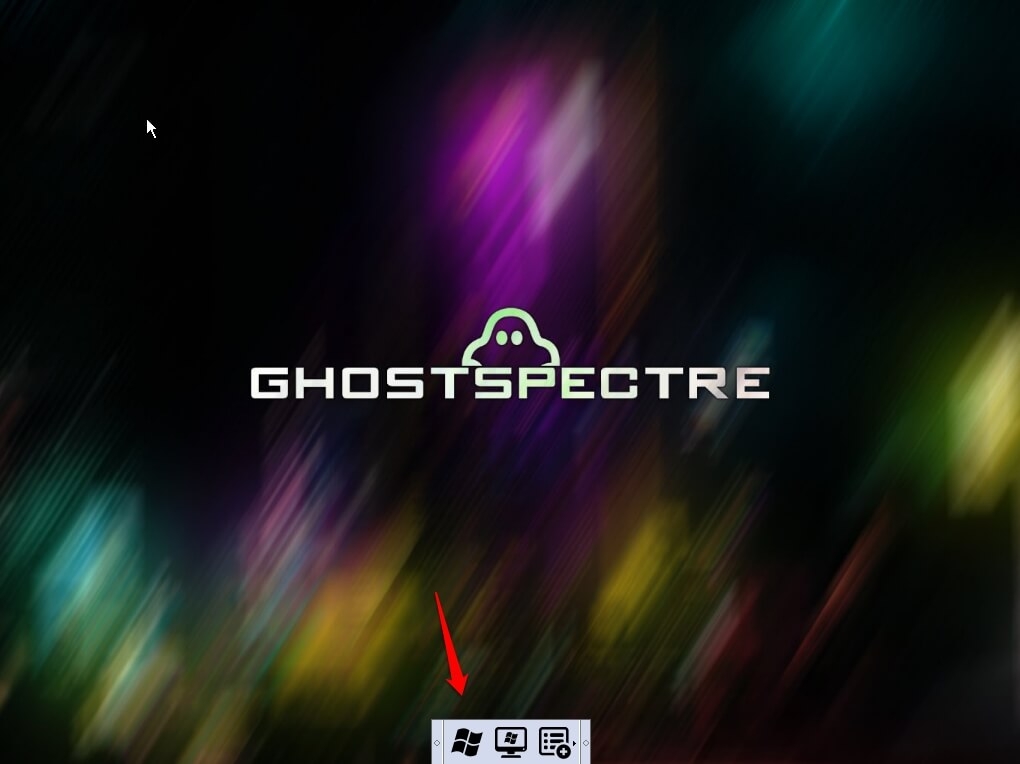
On the screen with the Ghost Spectre banner, click the Windows logo in the bottom bar.
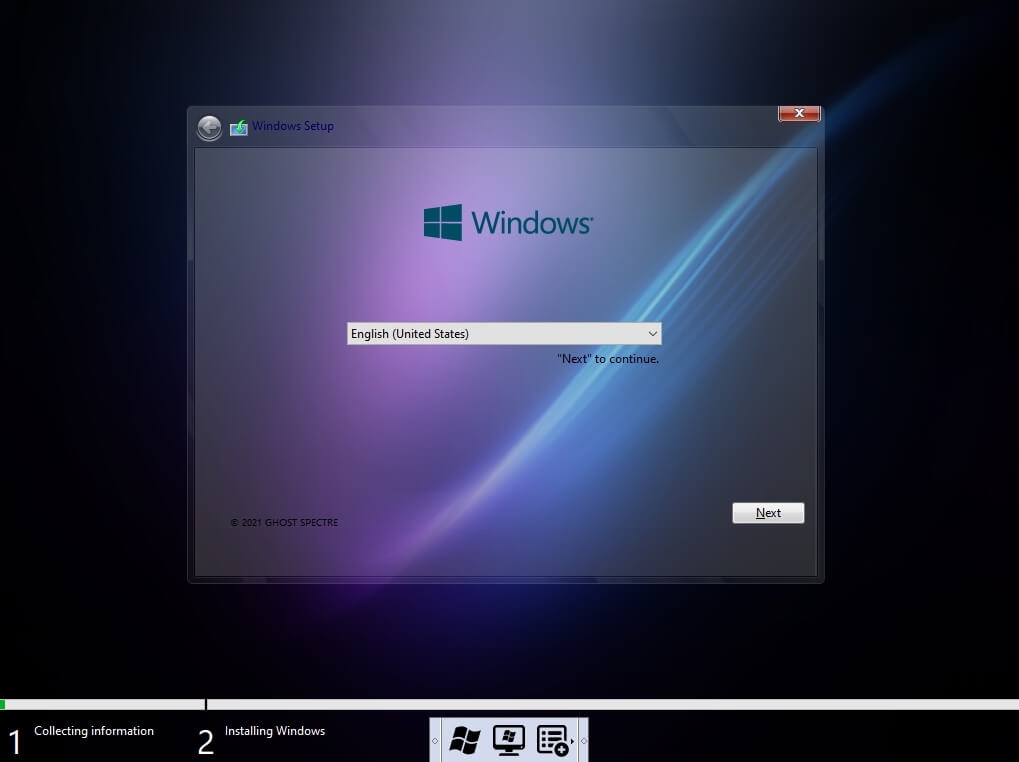
Next, pick your language and click Next.
Now, the Windows 10 setup will prompt you to input your Product Key; if you have one, enter it. Otherwise, select "I don't have a key" or "do this later."
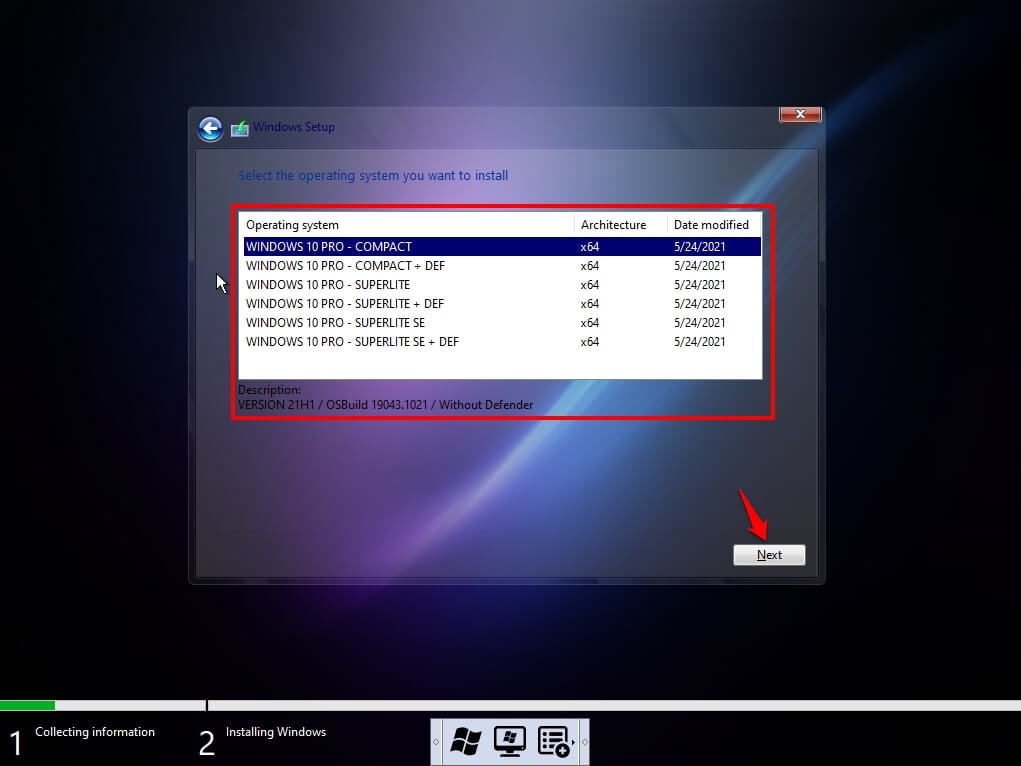
Choose your favorite version of Ghost Spectre Windows 10; a brief description is presented; and then click Next.
Select Custom: Install Windows Only (Advanced).
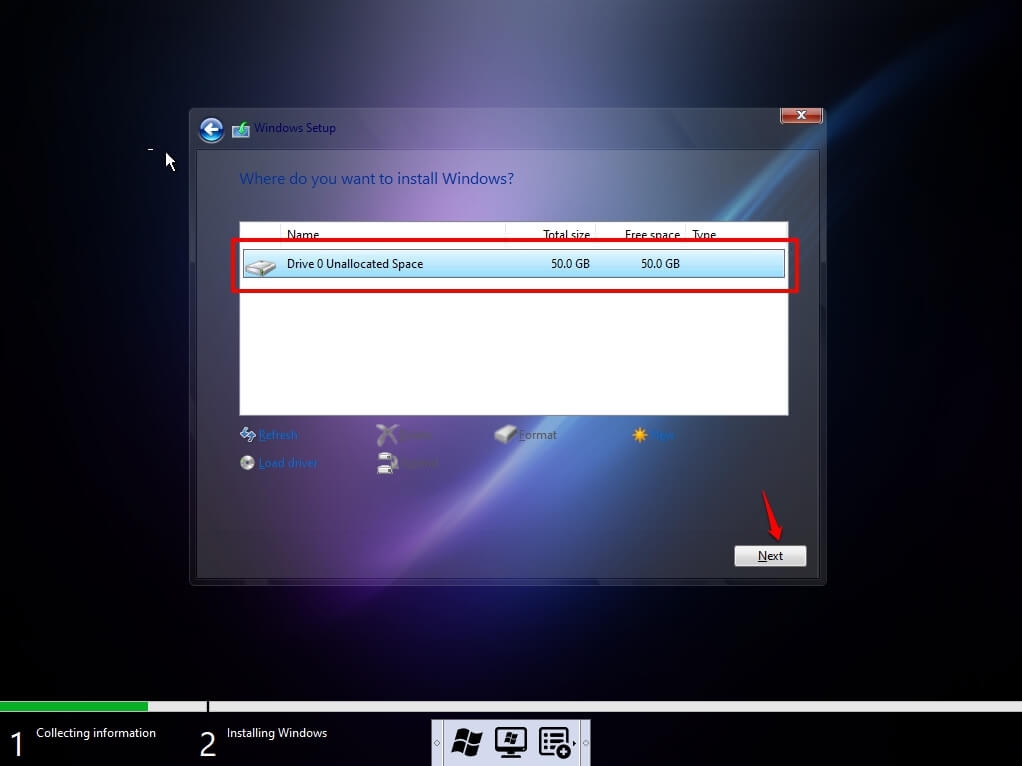
choose the disk and click Next. If there are numerous partitions, choose each one from the bottom and erase until just one unallocated drive remains.
To create a new unallocated disk, choose it from the list and click New, then Apply, then OK.
Choose the primary partition from many options and proceed to the next step.
Just wait a few seconds as Windows installs.
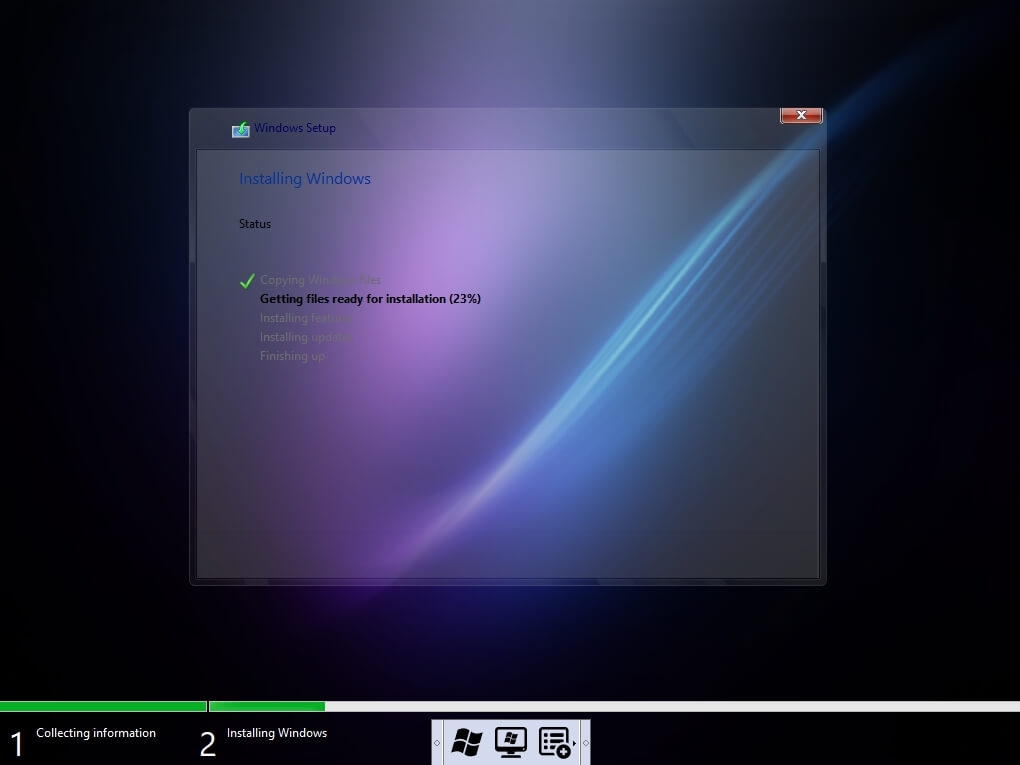
When all of this is done, Windows will reboot into the setup mode.
Following this, Windows will identify and install devices before restarting for the last time.
When you first arrive at the desktop, you will be prompted to select the operating system version (22H2, 21H2, 21H1, 20H2, 20H1), enter the number in the box, and click OK.
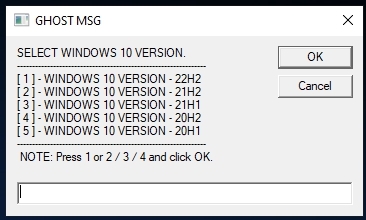
After restarting, the operating system will be completely functioning.
FAQs
Will it operate with a 4 GB RAM PC?
It will function well with your PC with 4 GB RAM; simply select either the 1709 or 1909 build and you're ready to go.
What happens to my Windows 10 license?
The license will be superseded by the new Ghost Spectre Windows 10; thus, we recommend that you extract the Windows 10 license and preserve it elsewhere.
Will I be able to utilize the Windows 10 updater?
No, you will not be able to utilize the usual Windows 10 updater; rather, you may check this page for the most recent changes, download the ISO file, and update from there.
Final Words
That's all; we've covered everything about the Ghost Spectre Windows 10 version; download it and enjoy a flawless Windows 10 experience on your low-end PCs.
Please let us know if there is anything I missed in the comments box, and we will add it as soon as possible.


