
I found a secret in the keyboard shortcut ALT + Tab, and you should use it a lot.
Keyboard shortcuts are very useful to me in my daily life. There must be some keyboard shortcuts that all of us who use computers every day like. The ALT+Tab shortcut is very helpful for me every day when I have a lot of windows open.

We've all undoubtedly used the Alt+Tab shortcut at some point, as it's a classic keyboard shortcut that allows us to switch between open windows on our computer. That is, if we have two windows open—one for Chrome and the other for a Word document—we can switch between them with a simple tap. And now I've discovered that it has another function I was completely unaware of.
On many occasions, it seems we don't know everything about an operating system like Windows, but sometimes we also find surprises in the actions we use daily. One such example is this keyboard shortcut that personally surprised me.
As a Bluesky user reported, this keyboard shortcut has more potential than we realize. Specifically, we'll be able to quickly close any open window from the preview that appears when we press Alt+Tab.
Originally, we would be able to do this using the mouse by clicking the "X" that appears in the upper right corner of each window. But since we're talking about keyboard shortcuts, we can do it by pressing the "Del" key on the keyboard after pressing Alt + Tab.
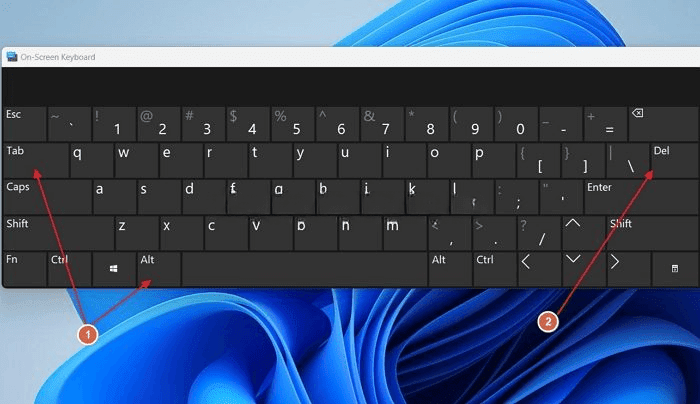
The selected window will be closed immediately when you press Alt+Tb+Del. This way, if you're like me and have many things open at once, you can easily close the ones you're not using.